Showing posts with label task 2016/2017. Show all posts

Saturday, January 21, 2017

VIDEO using Adobe Spark Video


Ideas for your topics: https://contraelciberacoso.jimdo.com/temas/

Link Adobe Spark Video and LOGIN. You will have to use the user and password provided by the teacher.

Working in teams of 2 or 3 students, create an AD for TV about one topic related to INTERNET SAFETY. You can use icons, texts, images, music and even your voice. Video should be up to 60 seconds.


Examples:
CyberNewton. Narrativa
CyberNewton. Storyboard
CyberNewton. Trailer
How to protect your child online
Sea Turtles

Monday, December 19, 2016

Memes

What is a 'Meme'? 
A "meme" is a virally-transmitted cultural symbol or social idea. A meme behaves like a flu or a cold virus, traveling from person to person quickly, but transmitting an idea. 
Historically, a meme is a discrete "package of culture" that would travel via word of mouth, usually as a fascinating story, a fable/parable, a joke, or an expression of speech. Today, memes travel much faster than simple speech. As internet email forwards, instant messages, and web page links, memes now travel instantly via the Internet.

We are going to transform PROVERBS or a SAYINGS into Digital ones.
"No por mucho madrugar, amanece más temprano"

MAKE MEMES WITH ADAPTED SAYINGS

The process could be as follows:
  1. Choose saying. 
  2. Adapt it to a safety on the Internet piece of advice. 
  3. Choose a free image rights. In this way you can get them from: https://pixabay.com/es/
  4. Make the meme. You can use:
  1. Share it on the padlet at the bottom. You will find there some examples. Do not forget your name and course.
I will share them on Instagram, Twitter and Facebook.
Twitter - hashtags: #RedConsejos and #NewtonConsejos.
Facebook - @IESIsaacNewton

Examples

To open the padlet in your mobile device:
Hecho con Padlet

Saturday, November 19, 2016

Digital Identity - Social Networks and Google


What do others see about you on social networks?
To be sure that you are viewing your public profile, log out of your social networks before (Facebook, for example), or go to a new browser, and you will see exactly the same as a stranger will in them.


What does Google know about me?
Now, logged in your Google account, write "¿Qué sabe Google sobre mí?

Go to the link highlighted and check the results from the 6 links you are provided. Surprised?

Let's control what Google shows about us
Go to https://aboutme.google.com/. Check and edit. Protect your personal information!


Read: 

Así utilizan tus datos Facebook, Google, Apple y Microsoft. Computer.hoy.com News


What can I find about myself?
  1. What have you discovered about you on your public profiles on your social networks?
  2. What have you discovered about you on Google?
Add a comment on this post (remember: as "Name S" and share what you have found about you)

Digital Identity - Investigation


Let's investigate about our digital identity!


What can I find about my classmates? What can I find about me?
We are going to investigate about your classmates.
Use:
  1. Google Search. Write exactly a full name. Use the quotes. I mean, write into the Google search box "Federico Garcia Lorca" and "García Lorca, Federico". You will see how you find results about your classmates, or at least, about people with the same name. 
  2. Add a comment on this post (remember as "Name S" and share what you have found about your or about your classmates (please do not mention your classmates names).

Wednesday, November 2, 2016

Avatar


In Spanish

What is an Avatar?
In computing, an avatar is the graphical representation of the user or the user's alter ego or character. It may take either a three-dimensional form, as in games or virtual worlds, or a two-dimensional form as an icon in Internet forums and other online communities.

Your avatar is the small picture that appears along with your user-name when you participate in activity on the site. The avatar is also seen above your user-name on your profile page. Many people use a flattering picture of themselves as their avatar, but you can use any picture you want as long as it isn’t offensive. An avatar gives other users a “face” to go with your user-name. They will recognize your avatar when you participate in activity on the site like commenting on articles, posting in the forum, and making new friends.


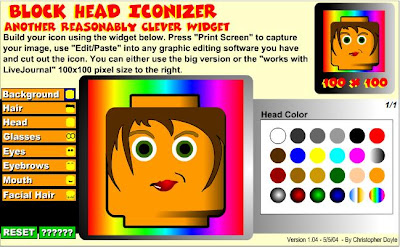
Some ideas to create your own avatar:
Bloque de Lego
Some usuful tools you may need:
  • Recortes. If you have no option to download your avar, take a screenshot. "Recortes" es a tool you will find only in Windows. Choose a rectagular shape, select your avatar and save it.
  • My Pictr: This is not to create and avatar, but it could be very useful if you want to chage the size of your avatar.
  • A different way of taking a screenshot: CAPTURA DE PANTALLA 

Wednesday, September 28, 2016

Technologies make your life easier

What is Technology?  Where is Technology?  Can we live without it?
Do you want the answer? Easy.

CHALLENGE
Turn off the electricity and water supply, disconnect the telephone and throw away your mobile phone!!. Wait just for 15 minutes.

How do you feel?
Answer this question in a comment in this article. Don't forget your course and name and the inicial of your surname.
This challenge should be done on Monday October 3rd. If you have problems with your computer or the Internet, do it in your notebook.
Homer Simpson doing the challenge... after 2 minutes

Tuesday, September 13, 2016

Who are you?


Publishing comments on this blog sometimes will be a task in order to answer a question, give your opinion, do a challenge, ...

CHALLEGE
Therefore, I want you to begin with the first one:

I would like you to introduce yourselves.

1. Just click on "X comments", under this post.
2. Go to the bottom of the article:
3. Write your name followed by the initial of your surname and your course.
You can tell me about your hobbies or whatever you want to share with us.
Example: Nadia C. 1st A. Hello teacher. My hobbies are basketball and dancing.
4. Publish!
I moderate your comments, so, you will not see it immediately.